ev666 App – One APK, Every Game on Your Phone
Get the official ev666 App for Android. Bet on cricket and football, play slots and live casino, deposit via bKash or Nagad — all from your pocket. The APK is free and takes under three minutes to install.
- Version
- 3.8.9
- File Size
- 28 MB
- Android
- 6.0+
- Price
- Free
- 18+
- SSL Encrypted
- 24/7 Support
- Android 6.0+
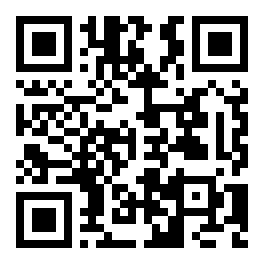
Scan to download ev666.apk
on your Android phone
Install the ev666 APK on Android – 5 Steps
Android phones block APK files from outside the Play Store by default. You need to allow "Unknown Sources" once — it takes about 30 seconds and you can turn it off again after installing.
-
1
Allow Unknown Sources
Open your phone's Settings → Security (or Privacy → Install Unknown Apps on Android 8+). Find your browser or file manager in the list and toggle on "Allow from this source." This permission only applies to that one app — it does not lower your phone's overall security.
-
2
Download ev666.apk
Tap the Download APK button on this page. Your browser will save
ev666.apk(28 MB) to your Downloads folder. Keep the screen on until the download bar reaches 100% — a patchy mobile connection can interrupt mid-download, which causes install errors. -
3
Open the File and Tap Install
Pull down your notifications and tap the completed download. Android will show you a permissions summary. Review it, then tap Install. The process takes around 10–20 seconds depending on your phone's speed. Do not tap "Block" on any permissions the app needs to run.
-
4
Wait for the "App Installed" Screen
Once Android finishes, you will see a confirmation screen with two buttons: Open and Done. If you see a "Parse Error" or "App Not Installed" message instead, your device may have too little storage or the download was interrupted. Delete the file and try again on Wi-Fi.
-
5
Log In or Create Your Account
Tap Open to launch the ev666 app. Existing users: enter your registered phone number and password, then tap Log In. New users: tap Register, fill in the short form and deposit a minimum of ৳450 to unlock your 150% welcome bonus. Full registration takes under two minutes.
Using an iPhone? Add ev666 to Your Home Screen
Apple does not allow APK files. iPhone users can still get a near-app experience through Safari's "Add to Home Screen" feature — it pins the ev666 mobile site as an icon on your home screen.
-
1
Open Safari
Visit ev666.info in Safari on your iPhone. The site is fully optimised for mobile Safari — all games, deposits and withdrawals work the same as on Android.
-
2
Tap the Share Icon
Tap the Share button at the bottom of Safari (the square with an arrow pointing up). Scroll down in the share sheet until you find Add to Home Screen and tap it.
-
3
Name and Add
Type a name for the shortcut — "ev666" works fine. Tap Add in the top-right corner. The ev666 icon will now appear on your iPhone home screen, just like any other app.
ev666 App Download & Version Details
| App Name | ev666 |
| File Name | ev666.apk |
| Current Version | 3.8.9 |
| File Size | 28 MB |
| Minimum Android Version | Android 6.0 (Marshmallow) or newer |
| Last Updated | 9 November 2026 |
| Price | Free – no subscription, no hidden fees |
| Language | English / Bangla |
| Operating System | Android (APK); iOS via browser shortcut |
App Versus the Browser – What Changes?
Both options give you the full ev666 game library and the same bonus terms. The app adds a few practical advantages that make a difference when you are betting during a live cricket match on mobile data.
| Feature | ev666 App (Android) | Mobile Browser | Desktop Browser |
|---|---|---|---|
| Push Notifications | Yes – live odds, bonus alerts | No | No |
| One-Tap Login | Fingerprint / PIN | Password only | Password only |
| Data Usage | Optimised – lower usage | Medium | Higher |
| Game Library | All 5,200+ games | All 5,200+ games | All 5,200+ games |
| bKash / Nagad Deposit | Deeplink – auto-opens wallet app | Manual redirect | Manual redirect |
| Live Chat Support | 24/7 in-app | 24/7 | 24/7 |
| Requires Internet | Yes (4G/Wi-Fi) | Yes | Yes |
| Cost | Free | Free | Free |
| Screen layout | Native mobile UI | Responsive web | Full widescreen |

What the App Can Access – and What It Cannot
The ev666 app requests only the permissions it needs to function. No access to your contacts, photos, SMS, or call logs.
SSL Encryption on Every Request
All communication between the ev666 app and our servers uses 256-bit SSL encryption — the same standard banks use. Your login credentials, deposit details and personal data are never sent in plain text. You can verify the certificate by checking the padlock icon in your browser if you use the web version.
Internet Access Only
The app requires an internet connection to load games and process transactions — that is the only system permission it must have. It does not read your SMS (no OTP interception), does not access your contact list, and does not scan your photo library. Android will show you a full permissions list during install so you can confirm this yourself.
Official APK – Always Download from This Page
Only download the ev666 APK from ev666.info. Third-party APK hosting sites sometimes repackage apps with malware or outdated versions that have known security gaps. If your antivirus flags the file, it is a false positive from the payment integration code — but you can verify the file hash by contacting our live chat team.
Account Security in the App
Enable the in-app PIN or fingerprint lock from Settings → Account Security after your first login. If your phone is lost or stolen, contact ev666 live chat immediately to freeze your account. You can also log out of all active sessions from the security settings panel — this logs out the app and any browser tabs at the same time.
Six Things You Can Do Right Now in the App
Once installed, every part of ev666 is a tap away — from live cricket odds to card games and fast slots.
 Card Games
Rummy & Card Games
Play Rummy by Pragmatic Play with bets from ৳1. RTP 97.2%. Fast hands, real-time opponents and mobile-optimised controls.
 Slots
Slots – Wild Bounty & More
Red Tiger's Wild Bounty Showdown (RTP 96.4%) and Golden Land by Pragmatic Play. Bet from ৳2 and spin anywhere on mobile data or Wi-Fi.
Live Casino Tables
Real dealers streamed in HD from Playtech studios. Play Teen Patti, Baccarat and Roulette with live chat and native-feel controls in the ev666 app.
Crash & Instant Games
Go Rush by KA Gaming: watch the multiplier climb and cash out before it crashes. Minimum bet ৳5. Fast-paced rounds make it ideal for short commutes on mobile.
Cricket & Football Betting
Live in-play odds for BPL, IPL, T20 and Premier League. Place bets on match winner, top scorer and over/under — markets update in real time inside the app.
Fishing Games
All-Star Fishing by PG Soft (RTP 97.7%) and Bingo Fishing by Playtech — tap to aim and shoot. Bet from ৳10 up to ৳20,000 and chase the jackpot fish.
Install Not Working? Check This Table First
Most installation failures have a simple fix. Work through this table before contacting support — most players solve the problem in under two minutes.
| Error / Symptom | Most Likely Cause | How to Fix It |
|---|---|---|
| "App Not Installed" | Corrupted or incomplete APK download; insufficient storage space on the device | Delete the downloaded file, free up at least 100 MB of storage, reconnect to Wi-Fi and download the APK again from this page. Do not use a VPN during the download. |
| "Parse Error" | The APK file is damaged, or your Android version is below 6.0 and cannot read the package format | Check your Android version under Settings → About Phone. If it is below 6.0, the app will not install — use the mobile browser version instead at ev666.info. Otherwise re-download the APK on a stable connection. |
| Download stops at 60–90% | Unstable mobile data connection; browser session timeout during the download | Switch to Wi-Fi or move closer to your router. Clear your browser cache (Settings → Privacy → Clear Browsing Data) and start the download fresh. Avoid putting the screen to sleep mid-download. |
| App installed but crashes on launch | Cache conflict from an older version; low RAM on older phones | Uninstall the existing ev666 app first (long-press the icon → Uninstall), then install the fresh APK from this page. Restart your phone before launching. If the problem persists, contact live chat with your device model and Android version. |
| "Unknown Sources" toggle is greyed out | Device is managed by a corporate or school MDM profile; some budget phones lock this setting by default | Go to Settings → Apps → Special App Access → Install Unknown Apps, then find your browser and enable it individually. If your phone is work-managed, use your personal device or the mobile browser at ev666.info instead. |
Still stuck? Open the ev666 live chat (available 24/7) and send your phone model, Android version and a screenshot of the error. The support team typically responds within two minutes.
No Account Yet?
Register in under two minutes, deposit ৳450 or more with bKash or Nagad, and claim your 150% welcome bonus up to ৳12,500.
Questions About the ev666 App
Is the ev666 APK safe to download?
Yes — the official APK is published only on ev666.info/ev666-app/. It is scanned for malware before each release. The app requests only internet access; it does not touch your contacts, SMS, photos or call logs. All data between your phone and our servers is protected by 256-bit SSL encryption. If you download from this page, the file is genuine. Never install an APK from a Telegram group, third-party APK site or unofficial link claiming to be ev666.
How do I update the ev666 app to the latest version?
The app checks for updates automatically when you open it on a live connection. If an update is available, a banner appears at the top of the home screen — tap Update Now and the new APK downloads and installs in the background. You can also update manually: return to this page, download the latest APK (currently v3.8.9, updated 9 November 2026) and install it over your existing app without uninstalling first. Your account, balance and bet history are stored server-side and will not be affected.
I have an iPhone — can I still use ev666?
Yes. Apple does not allow APK files, so there is no iOS app in the App Store. However, the ev666 mobile site is fully optimised for Safari on iPhone and iPad. Open ev666.info in Safari, tap the Share button and choose Add to Home Screen. This creates a shortcut icon on your home screen that opens the site in full-screen mode — it behaves like an app. All games, deposits via bKash and Nagad, live chat and bonuses work exactly the same as on Android.
My antivirus app flagged ev666.apk — should I be worried?
This is a false positive. Many Android antivirus tools flag APK files downloaded outside the Play Store as a precaution — they treat any non-Play-Store install as suspicious by default, regardless of the file's actual content. The ev666 APK does not contain malware, spyware or unwanted code. If you want to verify this yourself, upload the file to virustotal.com before installing. You can also contact our 24/7 live chat and ask for the official SHA-256 file hash to compare against your download.
Can I deposit and withdraw inside the app using bKash or Nagad?
Yes — deposits and withdrawals work fully inside the ev666 app. Tap the Deposit button, choose bKash, Nagad, Rocket or Bank Transfer, enter your amount and confirm. The app uses a deeplink to open your wallet app directly, so you do not need to copy-paste any numbers. The minimum deposit is ৳450. Deposits usually arrive in about 6 minutes. Withdrawals (minimum ৳900) are processed in an average of 32 minutes after approval, up to a daily limit of ৳140,000.
Do I get the same bonuses if I register through the app?
Yes — every bonus available on the website applies equally when you register or deposit through the ev666 app. That includes the 150% first-deposit welcome bonus (up to ৳12,500), the 14% reload bonus, 1.3% daily cashback and the ৳450 referral bonus. Bonus terms are identical: 25× wagering requirement, valid for 7 days. There is no app-exclusive bonus or website-exclusive bonus — both channels share the same promotions. You can check active promotions in the Bonuses tab inside the app at any time.
How much storage does the ev666 app take up after installing?
The APK file itself is 28 MB. After installation, the app occupies approximately 35–45 MB of internal storage, depending on your device's file system. Game assets are streamed, not stored locally, so the app does not grow significantly over time. If you are low on space, the app will still run — game graphics load on demand. For the smoothest experience, make sure you have at least 100 MB free before installing. You can check storage usage under Settings → Apps → ev666 on your Android phone.